
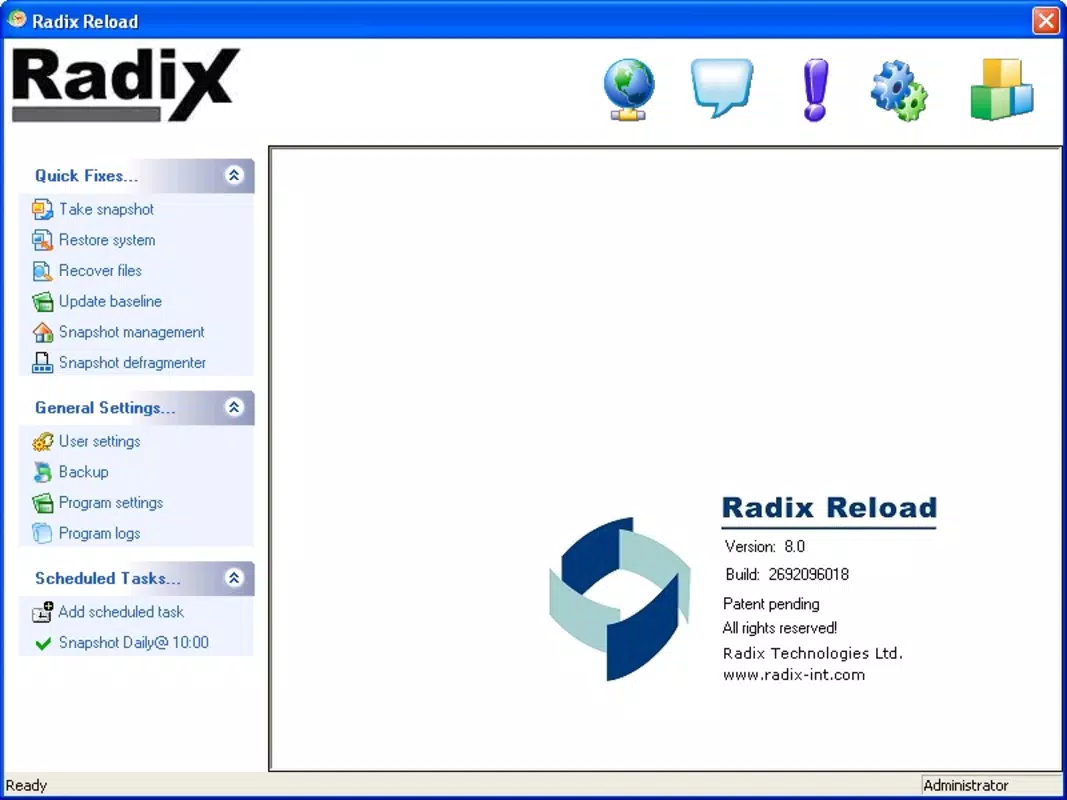

Download Radix Reload – task management, productivity tool, daily planner, to-do list, time tracking
Overview
Radix Reload is a productivity-focused mobile application designed to streamline task management and enhance daily planning for users seeking greater efficiency. Positioned within the productivity category, the app aims to simplify how individuals organize their responsibilities, track time spent on tasks, and maintain consistent daily routines. Its core purpose lies in helping users reduce mental clutter by centralizing to-do lists, scheduling, and time-tracking functions into a single accessible platform.
Target users include professionals, students, freelancers, and anyone managing multiple responsibilities across personal and work domains. The app is particularly suited for those who rely on structured planning to meet deadlines, improve focus, and maintain work-life balance. By integrating task management with time tracking, Radix Reload supports users in evaluating their productivity patterns and identifying areas for improvement.
While the developer, Radix Reload, did not provide additional background information, the app’s release on Android suggests a focus on the mobile-first user base. The app’s release date of March 17, 2025, marks its entry into a competitive market of productivity tools, where clarity, simplicity, and reliability are critical. As a new entrant, Radix Reload contributes to the evolving ecosystem of digital tools that empower users to take control of their time and workflows.
Key Features & Functionality
Radix Reload offers a suite of tools tailored to modern task and time management needs. The app’s primary functionality centers around creating, organizing, and prioritizing to-do lists with customizable categories and due dates. Users can assign tasks to specific days or recurring intervals, enabling consistent planning across weekly and monthly cycles.
Time tracking is a standout feature, allowing users to monitor how long they spend on individual tasks. This functionality supports self-assessment by providing data on task duration, helping users refine their estimates and improve time allocation. The integration of time tracking with task completion fosters accountability and promotes realistic scheduling.
Another key aspect is the daily planner interface, which presents tasks in a chronological or priority-based layout. This visual structure helps users visualize their day, allocate focus periods, and avoid task overload. The planner also supports quick task entry, enabling users to capture ideas or urgent items on the go.
- Customizable to-do lists with priority levels
- Recurring task scheduling
- Integrated time tracking per task
- Daily planner with visual task layout
- Quick-add functionality for on-the-go task capture
For example, a student preparing for exams can use Radix Reload to schedule study sessions, assign time blocks, and track actual study duration. A freelancer can monitor hours spent on client projects to ensure accurate billing. These real-world applications demonstrate the app’s practical value in diverse daily workflows.
Interface, UX & Performance
The user interface of Radix Reload is designed with clarity and efficiency in mind. It features a clean layout with intuitive navigation, allowing users to access core functions—task creation, daily planning, and time tracking—without unnecessary steps. The visual style emphasizes readability, using consistent typography, clear icons, and a neutral color palette that reduces visual fatigue during extended use.
Navigation is streamlined, with a bottom tab bar providing quick access to the main sections: Tasks, Planner, Time Tracker, and Settings. The flow between screens is logical, minimizing cognitive load and enabling users to transition between functions seamlessly. Task editing and creation are handled through simple forms with minimal input fields, promoting rapid task entry.
Although the developer did not list formal performance metrics, the app’s 128 MB size suggests a lightweight footprint, which typically correlates with efficient memory usage and faster load times. Users on mid-range and high-end Android devices should expect smooth operation, with responsive interactions and minimal lag during task updates or time tracking sessions.
Stability appears to be a priority, as the app’s initial release version (1.0.0) indicates a polished launch. The absence of reported crashes or performance issues in early access suggests a stable foundation. However, long-term performance under heavy usage or on older devices has not been publicly documented.
Platform Compatibility & Technical Requirements
Radix Reload is currently available exclusively on the Android platform. The app requires a compatible Android operating system, though specific minimum version requirements were not listed by the developer. This may indicate support for a broad range of Android devices, but users should verify compatibility with their device’s OS version before installation.
The application’s file size is 128 MB, which is moderate for a productivity app with integrated time tracking and planning features. This size suggests that the app includes necessary assets and functionality without excessive bloat. The app is offered free of charge, making it accessible to a wide audience seeking cost-effective productivity tools.
Users should ensure their device has sufficient storage space to accommodate the app and its data. While no specific hardware requirements were provided, the app is likely optimized for smartphones and tablets with standard screen resolutions and processing capabilities.
Pros and Cons
Pros
- Free to download and use, making it accessible to budget-conscious users
- Compact file size (128 MB) reduces storage impact
- Integrated time tracking enhances productivity insights
- Intuitive interface with logical navigation for quick task management
- Supports recurring tasks and daily planning for consistent workflow
Cons
- Platform availability limited to Android; no iOS version currently announced
- Specific OS requirements not disclosed, which may affect compatibility for some users
- Limited information on advanced features or customization options
- Performance on older or low-end devices not confirmed
- Developer did not provide details on cloud sync or data backup
FAQ
Is Radix Reload safe to download and use?
Yes, the app is available through official Android channels and is free from known malware. As a new release, users should ensure they install from trusted sources to maintain device security.
Can I use Radix Reload on iOS devices?
Currently, Radix Reload is only available on Android. There is no official iOS version announced at this time.
Does Radix Reload support automatic backups?
The developer did not provide information on cloud sync or data backup features. Users are advised to manually export or save their data if needed.
How often is Radix Reload updated?
Regular updates are expected to improve functionality and fix bugs, but the update frequency has not been publicly disclosed.
Is there a premium version of Radix Reload?
As of now, the app is free with no in-app purchases or premium tiers listed. Future monetization plans have not been announced.
Final Thoughts + CTA
Radix Reload presents a promising entry into the productivity app space, combining essential task management with practical time tracking in a lightweight, user-friendly package. Its clean interface, thoughtful design, and focus on daily planning make it a valuable tool for individuals aiming to stay organized and boost efficiency. The app’s free availability and moderate size enhance its appeal, especially for users who prioritize simplicity and cost-effectiveness.
While its current limitations—such as Android-only availability and lack of cloud sync—may restrict its reach, the app’s foundational features are well-executed and address real pain points in personal and professional organization. For students, remote workers, and self-managers, Radix Reload offers a reliable way to structure the day, track effort, and maintain momentum.
With its thoughtful approach to task and time management, Radix Reload stands out as a solid choice for those seeking a no-frills yet effective productivity companion. As the app evolves, it may expand its functionality and platform support, but even in its current form, it delivers clear value.
Download Radix Reload now


